Skip to main content What is Dynamics 365? Guided tours Customer stories Try our products Build your own agents CRM ERP Sales Service Sales Customer Insights Customer Service Contact Center Field Service Supply Chain Management Commerce Finance Project Operations Human Resources Business Central Pricing Business application topics Training & certifications Migrate to the cloud Documentation Events Dynamics 365 Blog Product updates Onboarding and implementation Community Find a partner Software Development Companies Partner resources Microsoft Marketplace Product documentation Technical support On-premises product support Contact us Try for free Sign in

Today, we released a new feature that enables you to copy diagrams between libraries. It’s quick and easy to use.

Simply open any process model in your library, right-click on a task, and then click Import.
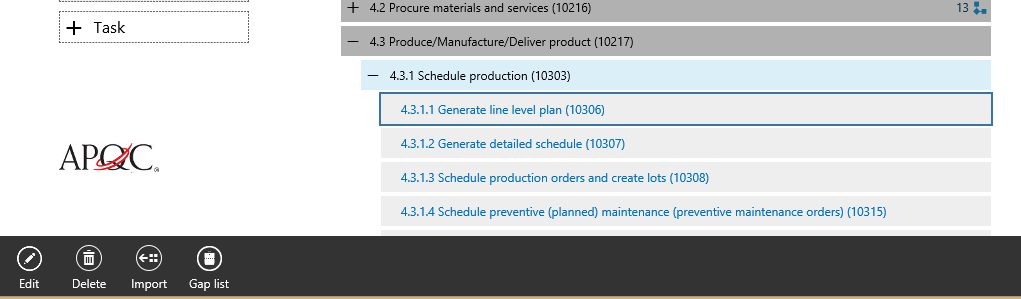
From here you can select and import a business process diagram from an existing library. Once you’ve completed the import, you’ll see the new diagram and all of the existing gaps and version history.

We’ll be working on more improvements here in the near future that will allow better curation of business process libraries for your business.

As always, please let us know what you think. 

Get started with Dynamics 365

Drive more efficiency, reduce costs, and create a hyperconnected business that links people, data, and processes across your organization—enabling every team to quickly adapt and innovate.